Frames for every screen
Start from phone, tablet and desktop sizes, and organise your design with constraints and grids.
AIM Interface
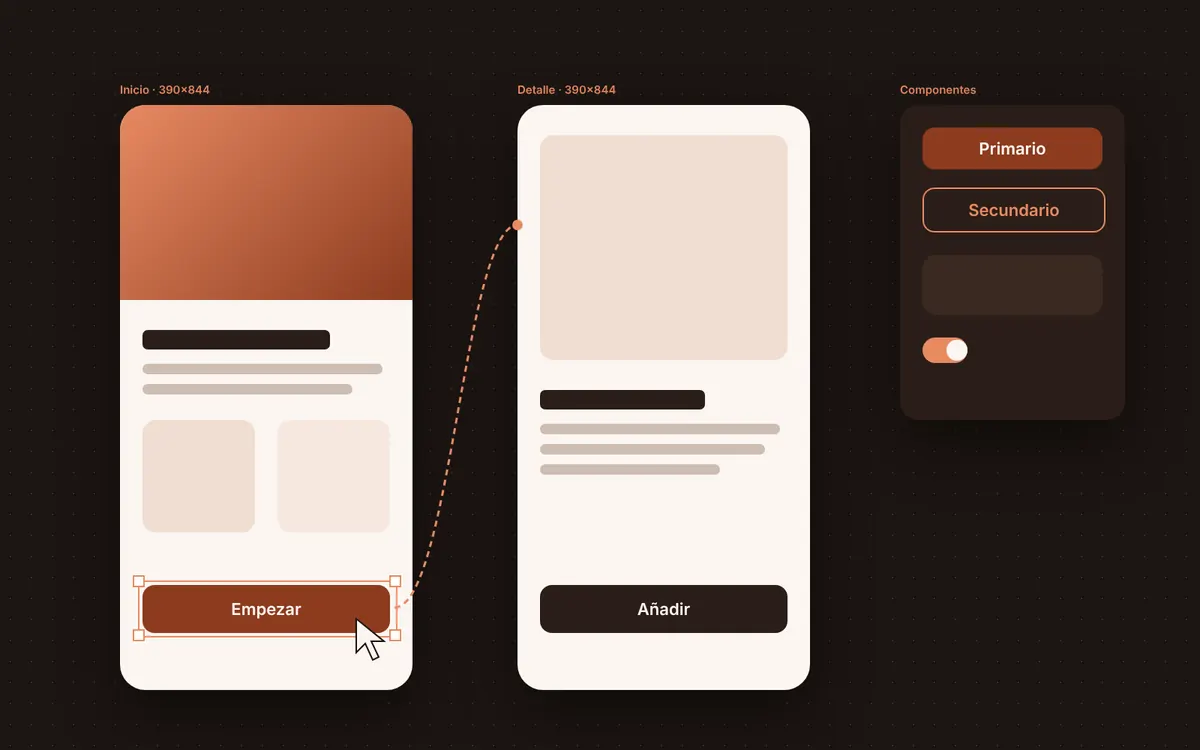
Frames for every screen, auto layout, components with variants and variables for your colours and sizes. Connect the screens into a clickable prototype and hand off to development with measurements and CSS at hand.
Free, no sign-up, no card.
For product and UX/UI designers, development teams and agencies designing apps and websites.
No account and no card: open AIM Interface and get started.
AIM Interface is free and complete, with no time limit and no card.
AIM Interface works in your browser: your files never leave your computer.
Start from phone, tablet and desktop sizes, and organise your design with constraints and grids.
Elements arrange and space themselves as the content changes: buttons, lists and cards that grow with the text.
Build a button once, with all its variants, and use it on a hundred screens: change the component and they all change.
Keep colours, sizes and text as variables, with modes such as light and dark, for the whole design system.
Connect screens with transitions, overlays and smart animate, and present the flow as if it were the app.
Dev mode shows measurements and styles; copy as CSS, SVG or PNG and export every asset as PNG, JPG, SVG, PDF or WebP.
Save versions, try ideas on a branch without touching the main design, and leave comments on the screen.
Own format: AIM Interface file .aiminterfaz
AIM Interface runs inside your browser: it opens and saves on your computer. Your files are never uploaded to a server and nobody else sees them.
AIM CREATE belongs to Biomag, a Spanish technology company since 1987. The website and accounts run on servers in the European Union.
Not even on the free plan: what you export is yours, as it is, and video goes up to 4K.
Free forever. CREATE Plus is optional: €1.99 a month on the yearly plan (€23.88 a year) or €2.49 a month paid every 6 months, VAT included.
Yes, experimentally: AIM Interface imports what it can from a .fig file and tells you what was left out.
No. AIM Interface runs inside your browser and saves on your computer.
Measurements and styles from dev mode, copied CSS and assets exported as PNG, SVG or PDF.