Your data, however you have it
Paste from a spreadsheet or upload a CSV, TSV, JSON or Excel file. Check the type of each column in a table.
AIM ChartsBeta
Paste or upload your data, choose from over 30 charts, drag the columns into place and download the result as SVG or PNG.
Free, no sign-up, no card.
For journalists, communications and marketing teams, teachers, researchers and anyone who needs to explain data.
AIM Charts opens in a browser tab: nothing to download, install or update.
AIM Charts is free and complete, with no time limit and no card.
AIM Charts works in your browser: your files never leave your computer.
What you export with AIM Charts comes out clean, with no watermarks.
Paste from a spreadsheet or upload a CSV, TSV, JSON or Excel file. Check the type of each column in a table.
Bars, lines, areas, pies, bubbles, flows, chord diagrams, trees, heatmaps, calendars and more.
Assign each column to its role in the chart by dragging it; choose how values are aggregated.
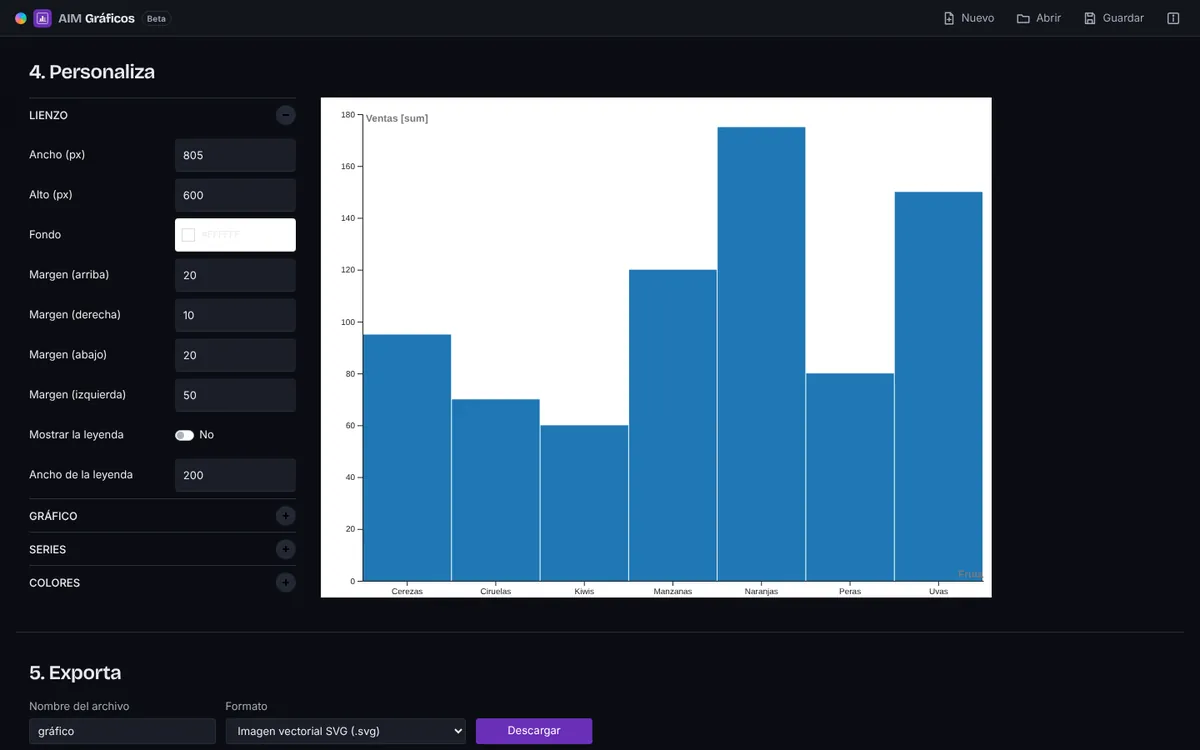
Size, margins, colours, scales, labels, legend and sorting, with an instant preview.
Download an editable SVG or a crisp PNG, signed by AIM CREATE.
Save the .aimgraficos project with the data, the chart and its settings and open it whenever you like.
Everything happens in your browser: your data is not uploaded anywhere and your work is restored when you come back.
AIM Charts runs inside your browser: it opens and saves on your computer. Your files are never uploaded to a server and nobody else sees them.
AIM CREATE belongs to Biomag, a Spanish technology company since 1987. The website and accounts run on servers in the European Union.
Not even on the free plan: what you export is yours, as it is, and video goes up to 4K.
Free forever. CREATE Plus is optional: €1.99 a month on the yearly plan (€23.88 a year) or €2.49 a month paid every 6 months, VAT included.
No. Your data is read and drawn in your browser and stays on your computer.
Yes: the first sheet of an .xlsx file is read. You can also paste cells copied from any spreadsheet.
Yes. Save the .aimgraficos project to come back to it, or open the SVG in AIM Vector.